
Realm Grinder, developed by Divine Games and published by Kongregate, remains one of the most beloved incremental games in 2026. Its unique blend of idle mechanics, faction choices, and spell‑based strategies keeps players engaged for years.
However, like most incremental games, Realm Grinder requires constant clicking and spell casting to maximize efficiency. This is where the Realm Grinder auto clicker comes into play. By automating clicks and spell rotations, players can focus on strategic decisions rather than repetitive actions.
In this article, we’ll explore the evolution of Auto Clicker Realm Grinder tools, setup strategies, bots, helpers, and the best automation practices for 2026.
Table of Contents
Why Use a Realm Grinder Auto Clicker?
The incremental game auto clicker offers several benefits:
- Efficiency: Automates repetitive clicking tasks, saving time and effort.
- Consistency: Ensures steady progress even when away from the keyboard.
- Optimization: Supports advanced strategies like spell rotations and mana management.
- Accessibility: Helps players with mobility challenges enjoy the game fully.
Types of Realm Grinder Automation Tools

1. Basic Auto Clickers
- Simple programs that generate clicks at a set interval.
- Examples include AutoHotkey scripts or lightweight apps like OP Auto Clicker.
- Ideal for beginners who want a quick boost.
2. Advanced Realm Grinder Tools
- Specialized scripts designed for Realm Grinder.
- Automate spell casting, mana management, and faction‑specific strategies.
- Example: GitHub projects like RealmGrinder‑ACC and AutoclickerRG.
3. Realm Grinder Bots
- Full automation systems that handle entire gameplay loops.
- Automate clicking, spell casting, and even faction switching.
- Riskier for account safety but powerful for advanced players.
4. Realm Grinder Helpers
- Companion apps or overlays that provide guidance.
- Suggest optimal upgrades, track mana, and recommend spell rotations.
- Less intrusive than bots, but still highly effective.
Best Realm Grinder Auto Clicker Tools (2026)
| Tool Name | Platform | Features | Safety Level | User Rating |
|---|---|---|---|---|
| RealmGrinder‑ACC | Windows | Auto clicker + autocaster, mana management | Medium | ★★★★☆ |
| AutoclickerRG | Windows | CPS control, random click frames | Medium | ★★★★☆ |
| OP Auto Clicker | Windows, Mac | Simple UI, interval control | High | ★★★★☆ |
| AutoHotkey Scripts | Windows | Customizable, lightweight | Medium | ★★★☆☆ |
| Realm Grinder Helper | Companion App | Upgrade suggestions, spell tracking | High | ★★★★★ |
Realm Grinder Auto Clicker Setup (Step‑by‑Step)
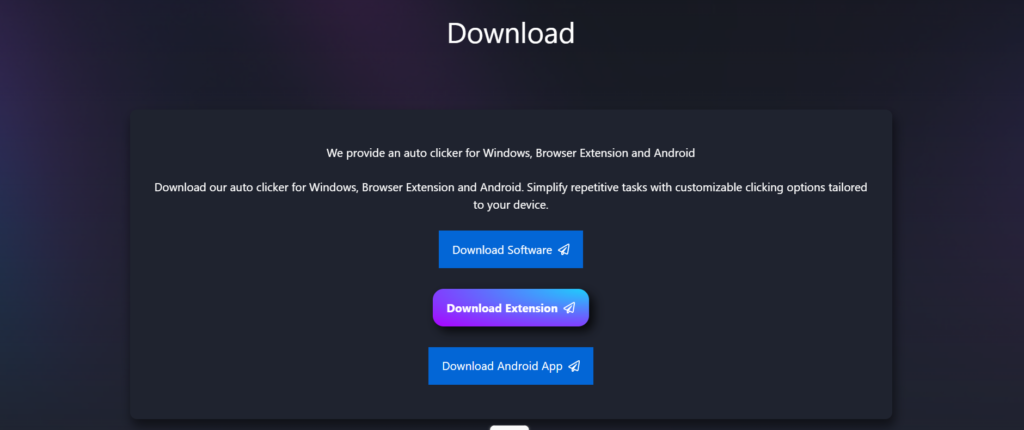
Step 1: Download a Trusted Tool
- Choose Download from our official Auto Clicker sites.
- Avoid shady downloads to protect your account.
Step 2: Configure Click Settings
- Set click interval (e.g., 10ms for rapid clicking).
- Choose click location (buildings, spells, or upgrades).
- Enable randomization to avoid detection.
Step 3: Automate Spell Casting
- Configure the auto clicker to cast spells when mana is full.
- Example: RealmGrinder‑ACC casts spells automatically when mana reaches maximum.
Step 4: Save Presets
- Create presets for different modes:
- Farming gems
- Spell rotations
- Faction‑specific strategies
Step 5: Monitor Performance
- Watch profits and system performance.
- Adjust click speed if lag occurs.
Strategic Use of Realm Grinder Automation
Automation should complement strategy:
- Active Builds: Use auto clickers to maximize DPS and trigger upgrades.
- Idle Builds: Limit auto clicking to avoid disrupting idle bonuses.
- Hybrid Builds: Automate spell rotation while maintaining idle gains.
Risks and Limitations
- Game bans: Excessive botting may violate the terms of service.
- Performance issues: High‑speed clicking can cause lag.
- Loss of engagement: Over‑automation may reduce the fun.
Always balance automation with manual play for the best experience.
Tips for Finding the Best Realm Grinder Tool
- Check reviews: Look for feedback on Reddit, Steam, and forums.
- Test safely: Start with low speeds.
- Avoid shady downloads: Stick to official sources.
- Update regularly: Ensure compatibility with patches.
Future of Realm Grinder Automation (2026 and Beyond)
By 2026, realm grinder bots and helpers have evolved with:
- AI‑driven automation: Detects game states and adjusts clicks dynamically.
- Cloud sync: Save presets across devices.
- Voice control: Start/stop automation with voice commands.
- Mobile support: Touch emulation for Android/iOS.
These innovations make realm grinder automation more powerful and accessible than ever.
Conclusion
The Realm Grinder auto clicker setup in 2026 is a game‑changer for incremental gamers. Whether you’re farming gems, managing spell rotations, or optimizing faction strategies, the right auto clicker Realm Grinder tool saves time, reduces fatigue, and enhances gameplay.
By choosing trusted tools, configuring smart presets, and balancing automation with strategy, players can unlock the full potential of realm grinder bots and helpers. As automation continues to evolve, expect even smarter, safer, and more integrated solutions for idle gaming.