
Clicker Heroes, developed by Playsaurus, remains one of the most beloved idle clicker games in 2026. Its blend of incremental progression, hero upgrades, and strategic builds has captivated millions.
However, the game’s core mechanic—clicking—can become repetitive and physically taxing over time. That’s where the Clicker Heroes auto clicker comes in.
This guide explores the latest automation tools, setup strategies, and best practices for using an Auto Clicker for Clicker Heroes. Whether you’re a casual player or a competitive optimizer, this article will help you enhance your gameplay with minimal effort.
Table of Contents
Why Use an Auto Clicker for Clicker Heroes?
The Auto Clicker Clicker Heroes solution offers several advantages:
- Reduces fatigue: No more endless manual clicking.
- Boosts efficiency: Automate farming, boss fights, and hero upgrades.
- Supports active builds: Maintains high DPS through constant clicking.
- Improves accessibility: Helps players with mobility challenges enjoy the game.
As the game scales, manual clicking becomes less effective. Automation ensures consistent progress without compromising strategy.
Types of Clicker Heroes Automation Tools
There are several categories of tools available in 2026:
1. In-Game Auto Clickers
- Built into the game after zone 100.
- Limited to a few auto clickers unless purchased with rubies.
- Ideal for beginners or mobile players.
2. External Auto Clickers
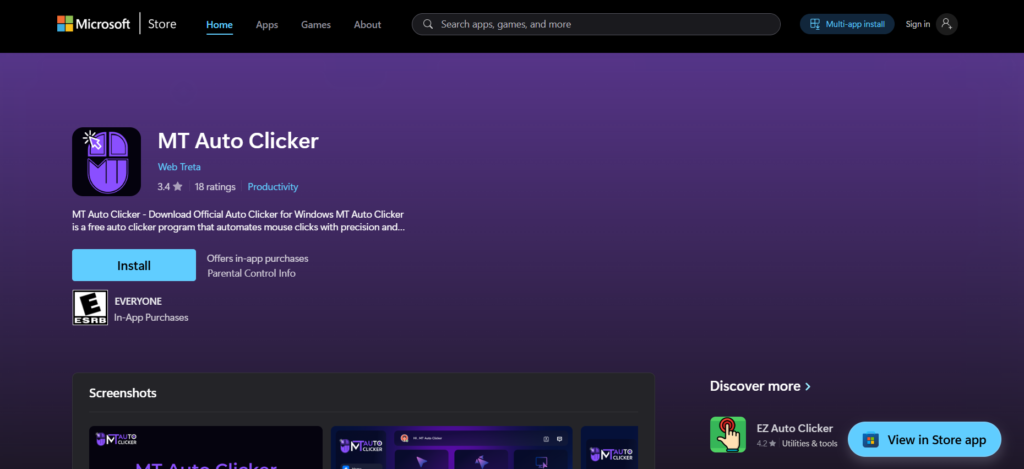
- External software like GS Auto Clicker, OP Auto Clicker, or MT Auto Clicker.
- Offers advanced features like multi-point clicking, interval control, and hotkey activation.
- Compatible with Windows, macOS, and browser versions.
3. Clicker Heroes Bots
- More complex scripts or bots that automate entire gameplay loops.
- Often used by advanced players for deep zone farming or hero rotation.
- Riskier in terms of game integrity and account safety.
Best Clicker Heroes Auto Clicker Tools (2026)
| Tool Name | Platform | Features | Safety Level | User Rating |
|---|---|---|---|---|
| MT Auto Clicker | Windows, Mac | Multi-click, interval control, presets | High | ★★★★★ |
| OP Auto Clicker | Windows | Simple UI, hotkey support | High | ★★★★☆ |
| GS Auto Clicker | Windows | Lightweight, customizable click patterns | Medium | ★★★★☆ |
| ClickerBot Pro | Windows, Browser | Full automation, hero rotation, zone skip | Low | ★★★☆☆ |
Clicker Heroes Auto Clicker Setup (Step-by-Step)
Here’s how to set up a third-party Clicker Heroes tool for optimal performance:
Step 1: Download a Trusted Auto Clicker
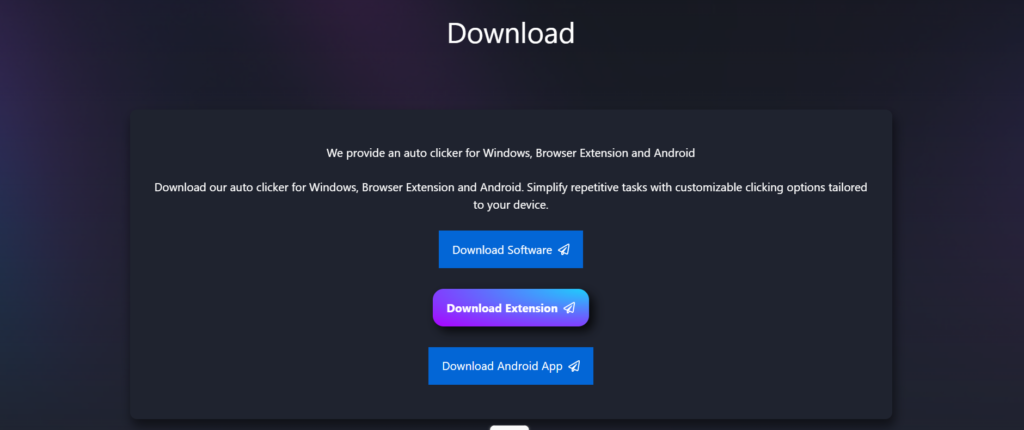
- Visit the official site of Auto Clicker.
- Ensure compatibility with your game version.
Step 2: Configure Click Settings
- Set click interval (e.g., 10ms for fast clicking).
- Choose click location (center of monster or upgrade button).
- Enable multi-point mode for hero upgrades and skill activation.
Step 3: Assign Hotkeys
- Use hotkeys to start/stop clicking instantly.
- Recommended: F6 to start, F7 to stop.
Step 4: Save Presets
- Create presets for different game modes:
- Farming
- Boss fights
- Hero upgrades
Step 5: Monitor Performance
- Watch your DPS and gold gain.
- Adjust click speed if game lags or overheats.
Strategic Use of Auto Click Clicker Heroes
Automation should complement—not replace—strategy. Here’s how to use it wisely:
- Active Builds: Use auto clickers to maintain high DPS and trigger skills.
- Idle Builds: Use auto clickers sparingly to avoid disrupting idle bonuses.
- Hybrid Builds: Automate skill rotation and monster clicking during boss fights.
Risks and Limitations
While automation is powerful, it comes with caveats:
- Game bans: Excessive botting may violate terms of service.
- Performance issues: High-speed clicking can cause lag or overheating.
- Loss of engagement: Over-automation may reduce the fun and challenge.
Always use trusted tools and avoid full bots unless you’re experimenting offline.
Tips for Finding the Best Clicker Heroes Auto Clicker
- Check reviews: Look for user feedback on Reddit, Steam, and gaming forums.
- Test safely: Start with low click speeds and monitor system performance.
- Avoid shady downloads: Use official sites or GitHub repositories.
- Update regularly: Ensure compatibility with the latest game patches.
Future of Clicker Heroes Automation (2026 and Beyond)
In 2026, automation tools have evolved with AI integration:
- Smart clickers: Detect boss fights and adjust speed dynamically.
- Cloud sync: Save presets across devices.
- Voice control: Start/stop automation with voice commands.
- Mobile support: Auto clickers now work on Android and iOS with touch emulation.
These innovations make Clicker Heroes automation more accessible and powerful than ever.
Conclusion
The Clicker Heroes auto clicker setup in 2026 is a game-changer for players seeking efficient progression. Whether you’re farming zones, upgrading heroes, or battling bosses, the right auto clicker Clicker Heroes tool can save time, reduce fatigue, and enhance your experience.
By choosing trusted tools, configuring smart presets, and balancing automation with strategy, you’ll unlock the full potential of Clicker Heroes helper technology. Just remember: automation is a tool—not a substitute—for thoughtful gameplay.