
In 2026, users want tools that are fast, simple, and secure. Nobody wants complicated installations, suspicious downloads, or software that slows down their system.
That’s why auto clicker no download solutions are becoming increasingly popular. Instead of installing programs, users now rely on an online auto clicker or browser auto clicker to automate repetitive clicking tasks instantly.
Browser-based automation tools offer convenience without compromise. Whether you’re managing repetitive tasks, testing web applications, or handling idle-style browser activities, a browser based auto clicker provides a lightweight and efficient solution.
This article explores how auto clickers without download tools work, their benefits, safety considerations, and how to choose the best online auto clicker tool in 2026.
Table of Contents
What is an Auto Clicker No Download Tool?
An auto clicker no download solution is a web-based automation tool that runs directly in your browser. Unlike traditional software that requires installation, these tools operate through web interfaces or browser extensions.
A browser auto clicker simulates mouse clicks automatically at defined intervals, speeds, or locations — all without installing standalone programs. Because everything runs in the browser, users can start immediately.
This approach eliminates:
- Installation risks
- Compatibility issues
- Large file downloads
- System-level permissions
Instead, users access a web auto clicker instantly and begin automating tasks within seconds.
Why Online Auto Clickers Are Popular in 2026?
The shift toward cloud-based tools has also influenced automation trends. Here’s why online clicking automation is gaining momentum:
- No Installation Required: A no-installauto clicker saves time. Users open a website or launch a browser tool and start clicking on automation immediately.
- Cross-Platform Compatibility: Since a browser clicking tool runs in Chrome, Edge, Firefox, or Safari, it works across: Windows, macOS, ChromeOS.
- Reduced Security Risk: Many downloadable auto clickers come from unknown sources. A reputable auto clicker without download avoids suspicious executables and reduces malware risk.
- Lightweight Performance: Browser-based tools consume fewer system resources compared to heavy desktop software.
How a Browser-Based Auto Clicker Works?
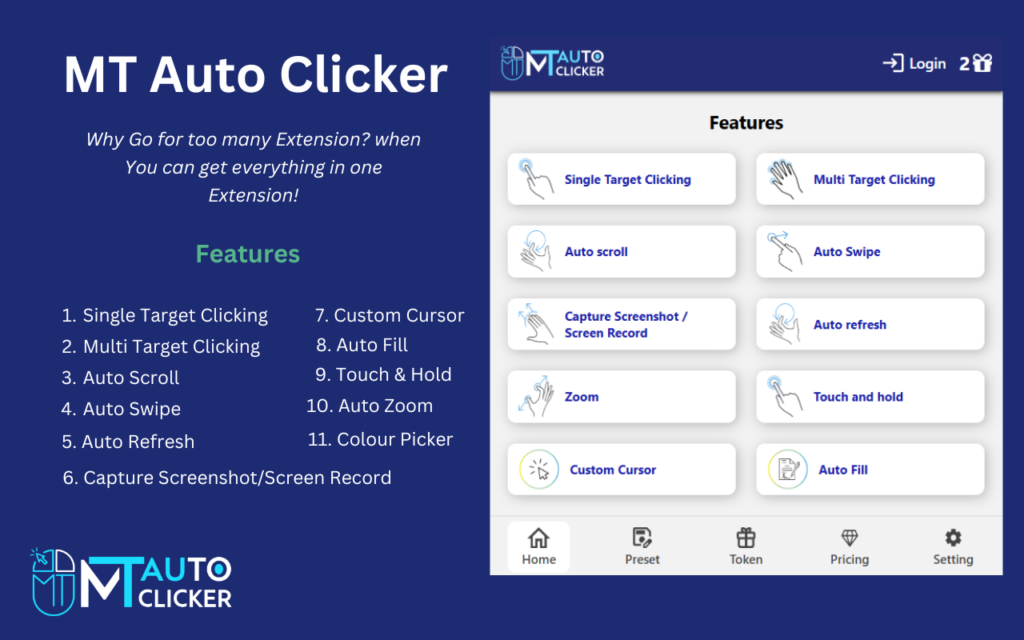
A browser-based auto clicker typically functions in one of three ways:
- JavaScript-Based Web Tool: The automation runs directly on the webpage using scripts that simulate clicks within browser limits.
- Browser Extension: Some tools operate as extensions, allowing automated clicking on selected tabs.
- Built-In Developer Console Scripts: Advanced users may use console scripts for custom online clicking automation.
Regardless of method, the key benefit remains the same: automation without installation.
Common Use Cases for Online Auto Clicker Tools
An online auto clicker tool is versatile and supports multiple workflows.
1. Web Application Testing: Developers and QA teams use browser automation to:
- Test buttons repeatedly
- Validate UI responsiveness
- Simulate user interaction
2. Browser-Based Idle Games: Some browser idle games involve repetitive clicking. A browser auto clicker can streamline these tasks when allowed by the game’s rules.
3. Data Entry Simulations: Testing web forms requires repeated submissions. A web auto clicker helps speed up validation testing.
4. Demonstrations and Training: In training sessions, automated clicking ensures consistent demonstration without manual repetition.
Advantages of Auto Clicker Without Download
Using an auto clicker, a no-download solution offers several clear advantages:
- Instant Access: There’s no waiting for installation or setup. Open the tool and begin.
- No System Modifications: A no-install auto clicker does not alter registry files or system permissions.
- Easy Removal: Close the tab, and the tool stops running. No leftover files remain.
- Safer for Restricted Devices: On work or school computers where installation is blocked, a browser clicking tool provides a practical alternative.
Choosing a Safe Online Auto Clicker
Not every web-based tool is trustworthy. Follow these guidelines for safe usage:
1. Use Trusted Platforms
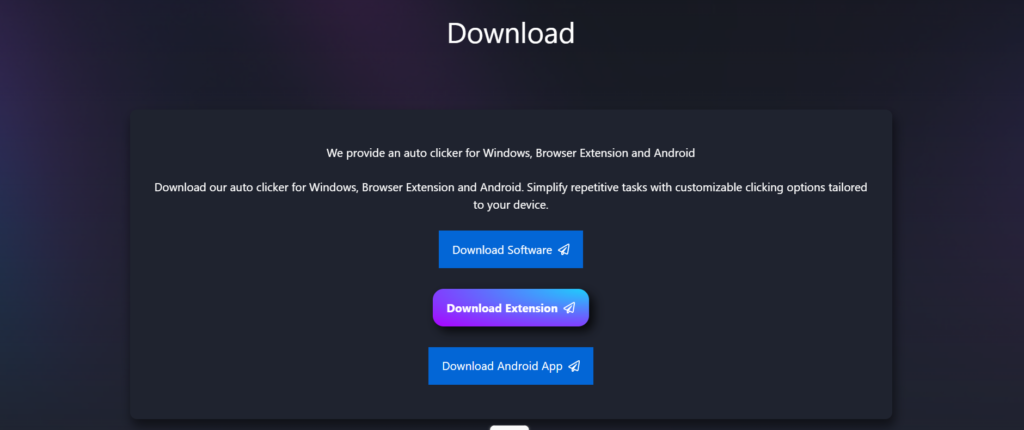
Only our reputable websites offering a safe auto clicker without download solutions.
2. Avoid Excessive Permissions
A browser-based tool should not request:
- Full system access
- Unrelated data permissions
- Suspicious downloads
3. Check HTTPS Security
Ensure the site uses secure encryption before using the tool.
4. Avoid Pop-Up Heavy Sites
A legitimate online clicking automation tool should not overwhelm users with ads or forced redirects.
Features to Look for in an Online Auto Clicker Tool
A high-quality browser-based auto clicker in 2026 should include:
- Adjustable clicks per second (CPS)
- Start/stop hotkeys
- Click location selection
- Delay customization
- Safe stop mechanism
Advanced tools may even offer:
- Randomized click intervals
- Loop controls
- Multi-tab support
These features improve flexibility while keeping the tool lightweight.
Responsible Use of Browser Clicking Tools
Automation should always be used ethically.
Avoid:
- Violating website terms of service
- Disrupting online multiplayer environments
- Generating spam activity
An auto clicker no download solution should enhance productivity—not exploit systems. Responsible usage ensures continued access to automation tools without restrictions.
The Future of Online Clicking Automation
As cloud computing expands, browser tools are becoming more powerful. In 2026 and beyond, we can expect:
- AI-enhanced click timing
- Built-in browser automation APIs
- Smarter resource-efficient scripting
- Improved security sandboxing
The rise of online auto clicker tools reflects a broader shift toward web-first productivity solutions.
Auto Clicker No Download vs Desktop Auto Clicker
| Feature | Browser Auto Clicker | Desktop Auto Clicker |
| Installation | Not required | Required |
| System Control | Browser-only | Full system |
| Security Risk | Lower (if trusted site) | Depends on source |
| Portability | High | Moderate |
| Ease of Removal | Instant | Uninstall needed |
For web-specific tasks, a browser clicking tool offers unmatched simplicity.
Final Thoughts
In 2026, convenience and security drive technology decisions. An auto clicker no download solution meets both demands. By eliminating installation risks and enabling instant access, a browser auto clicker empowers users to automate repetitive web-based tasks efficiently.
Whether you need quick testing, idle game assistance, or productivity support, an online auto clicker tool provides lightweight, flexible automation. When used responsibly and chosen from trusted sources, online clicking automation becomes a smart addition to modern workflows.
The future of automation is not always about installing more software—it’s about working smarter directly in your browser.