
Smartphones have become the center of our digital lives, powering everything from gaming and social media to productivity and testing workflows. With this increased reliance on mobile devices, repetitive tapping and swiping can quickly become tedious. That’s where the Android Auto Clicker comes in.
An Auto Clicker is a tool that automates taps and clicks on your device’s screen. In 2026, the ecosystem of auto clicker Android apps has matured, offering users powerful and customizable solutions for gaming, testing, and accessibility.
Whether you’re a gamer looking to automate repetitive actions, a developer testing user interfaces, or someone seeking accessibility support, a mobile auto clicker can save time and effort.
This article explores the best auto clicker app options for Android, explains how to install and configure them, and provides practical tips for safe and efficient use. By the end, you’ll know how to set up an auto clicker for Android phone, choose the best Android auto clicker app, and even run automation without rooting your device.
Table of Contents
Why Use an Android Auto Clicker?
- Gaming Efficiency: Many mobile games require rapid tapping—think idle clickers, RPGs, or farming simulators. A phone auto clicker ensures consistent performance without tiring your fingers.
- Accessibility Support: For users with mobility challenges, an Android clicking app can automate repetitive actions, making devices easier to use.
- Testing and Development: Developers often use auto clicker mobile tools to simulate user interactions during app testing.
- Productivity: Automating repetitive tasks, such as refreshing dashboards or navigating menus, saves time.
Types of Android Auto Clicker Apps
1. Simple Tap Simulators
These apps repeatedly tap at a set interval.
- Strengths: Easy to use, minimal setup.
- Weaknesses: Limited customization.
2. Advanced Auto Clicker Apps
These allow targeting specific areas, multi-point clicking, and custom scripts.
- Strengths: Precision targeting, customizable workflows.
- Weaknesses: Requires more configuration.
3. Accessibility-Based Auto Clickers
Built into Android’s accessibility settings, these provide basic automation.
- Strengths: Safe, no external downloads.
- Weaknesses: Limited speed and features.
4. Script-Based Auto Clickers
Some apps allow scripting for advanced automation.
- Strengths: Highly flexible, powerful for developers.
- Weaknesses: Requires coding knowledge.
Best Android Auto Clicker Apps in 2026
| App | Features | Best For | Pros | Cons |
|---|---|---|---|---|
| Auto Clicker | Multi-point tapping, swipe automation | Gaming | Easy setup, customizable | Ads in free version |
| MT Auto Clicker | Interval tapping, target area selection | Productivity | Lightweight, simple | Limited advanced features, Ads in free version |
| MacroDroid | Full automation with triggers | Developers | Powerful scripting | Steeper learning curve |
| Accessibility Auto Clicker | Built-in Android accessibility | General use | Safe, no install | Limited speed |
How to Install Auto Clicker Android Apps
Step 1: Open Google Play Store
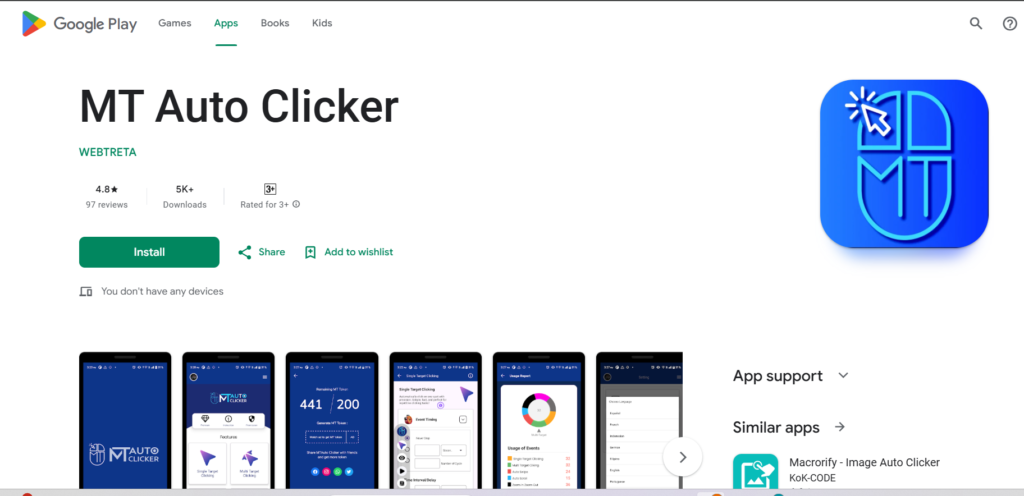
- Search for “auto clicker app.”
- Look for apps with high ratings and recent updates.
Step 2: Choose the Best App
- For gaming → Click Assistant.
- For productivity → Auto Clicker – Automatic Tap.
- For advanced automation → MacroDroid.
Step 3: Install the App
- Tap Install.
- Grant necessary permissions (Accessibility, Overlay).
Step 4: Configure Settings
- Click Interval: Adjust speed (e.g., 100ms, 500ms).
- Target Area: Choose where taps should occur.
- Hotkeys: Assign start/stop shortcuts.
- Profiles: Save different setups for gaming, testing, or productivity.
Android Auto Clicker No Root
One of the biggest advantages in 2026 is that most Android Auto Clicker no root apps work without rooting your device. Rooting used to be necessary for advanced automation, but modern Android APIs and accessibility services allow powerful automation safely.
- Benefits of No Root:
- Safer for your device.
- No warranty issues.
- Easier installation.
- Examples:
- Click Assistant and Auto Clicker – Automatic Tap both work without root.
Advanced Configuration Tips
- Multi-Point Clicking: Configure apps to tap multiple areas simultaneously for complex games.
- Swipe Automation: Automate swipes for scrolling or dragging actions.
- Looping Tasks: Set up loops for tasks like refreshing dashboards or farming resources.
- Custom Scripts: Use MacroDroid or Tasker for advanced automation workflows.
Common Issues and Fixes
- App Not Working
- Ensure accessibility permissions are granted.
- Restart the app.
- Clicks Too Slow/Fast
- Adjust interval settings.
- Check device performance.
- Target Not Detected
- Recalibrate the target area.
- Update the app if it’s outdated.
- Battery Drain
- Reduce CPS.
- Use power-saving mode.
Best Practices for Using Auto Clicker Mobile
- Start Slow: Begin with moderate click speeds.
- Monitor Performance: Avoid lag by balancing CPS.
- Use Responsibly: Don’t abuse auto clickers in competitive games.
- Stay Updated: Keep apps current for security.
- Backup Settings: Save configurations for easy recovery.
Future of Android Auto Clicker Apps (2026 and Beyond)
By 2026, android auto clicker tools are evolving rapidly. Expect:
- AI-driven auto clickers that adapt to app changes.
- Cloud-synced profiles across devices.
- Enhanced accessibility features built directly into Android.
- Smarter android clicking apps that integrate with productivity suites.
The best android auto clicker app of the future won’t just tap—it will intelligently interact with apps, bridging the gap between simple automation and full digital assistants.
Conclusion
The android auto clicker has become an essential tool in 2026 for gamers, developers, and productivity enthusiasts. Whether you’re looking for a simple auto clicker Android app, a versatile mobile auto clicker, or a powerful scripting solution, there’s an option for every need.
Setting up an auto clicker for android phone is straightforward: choose your app, install it, configure settings, and test for optimal performance. With proper setup, you can streamline repetitive tasks, enhance accessibility, and enjoy smoother workflows.
Ultimately, the best Android auto clicker app depends on your goals. For casual users, simple tap simulators are perfect. For advanced users, apps like MacroDroid unlock deeper automation. And with Android Auto clicker no root solutions, anyone can enjoy automation safely.
Automation is no longer a luxury—it’s a necessity. By mastering Android Auto clicker setup, you can harness the full potential of your mobile device and make your Android experience more efficient, productive, and enjoyable in 2026.